

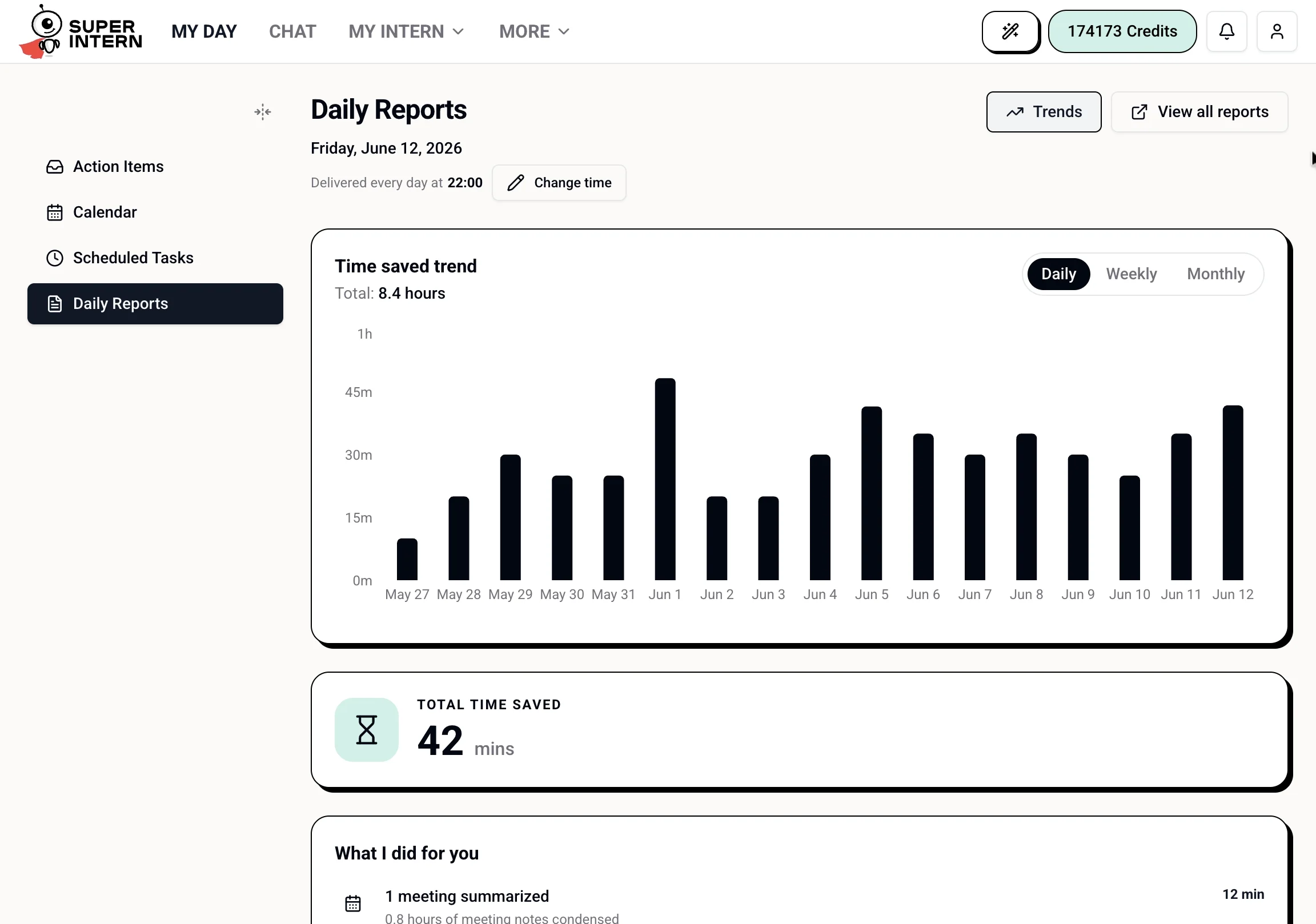
What Reports Show
Daily recap
A date-based view of what SuperIntern handled that day.
Time saved
An estimated total based on activity across email, meetings, social posts, and scheduled tasks.
What I did for you
A breakdown of recorded work, such as emails handled, meetings summarized, contacts added, posts published, and scheduled tasks completed.
Trends
A daily, weekly, or monthly trend view for comparing estimated time saved over time.
Daily Report Delivery
SuperIntern can save a structured daily report when the daily report workflow runs. In My Day → Daily Reports, you can see today’s report when one exists and adjust the nightly delivery time shown there. The daily report workflow is a scheduled heartbeat. Its default time is 10:00 PM in your local timezone, and it must be enabled or created before generated report text appears. When it runs, SuperIntern reviews context from today’s notes, chats, meetings, calendar events, completed todos, actions, and workflow tasks. It saves the report so you can review it later from the Reports page or the Telegram Mini App reports link.Choose a Date
Reports are organized by date. Use the date picker to switch days with recorded activity. If there is no activity for a date, the page shows that no data was recorded.How Time Saved Is Calculated
The time saved number is an estimate. It is calculated from the work SuperIntern completed or helped with:
Contacts added are shown in the activity breakdown, but they are not currently included in the time-saved total. The calculation is meant to give you a directional sense of how much routine work your intern absorbed. It is not a billing metric.
What Counts Toward Reports
- Email — messages read and AI-drafted emails that were sent.
- Meetings — meetings summarized and meeting minutes processed.
- Contacts — contacts captured from emails and meetings. These are shown in the breakdown but do not yet add to estimated time saved.
- Scheduled tasks — background tasks completed by your intern.
- Social posts — LinkedIn and X/Twitter posts published through connected tools.